Studio Knowledge Sharing Plan - Draft
Core Infrastructure
-
Documentation Hub
Documentation Website: Main knowledge base with search functionality- Sections: 3D Art | Material Art | Technical Art | Level Design
- Formats: How-to guides, troubleshooting, tool manuals
Google Drive: Shared folders for:- /Asset_Libraries
- /Tool_Scripts
- /Level_Prototypes
- /Tutorial_Videos
-
Coordination & Communication
Monday.com Board: "Knowledge Sharing" board with:- Tips pipeline | Help requests | Mentorship tracking
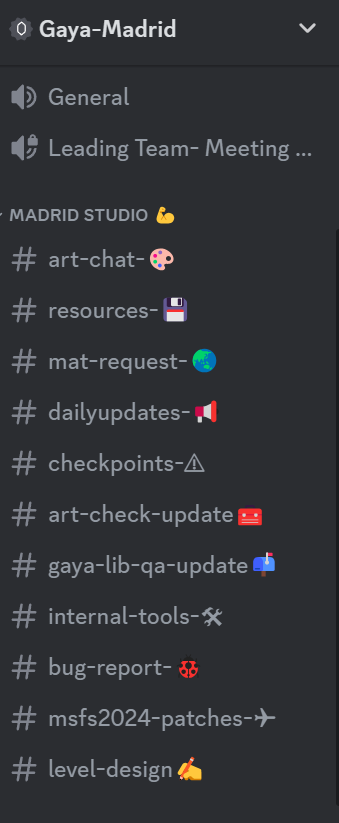
Discord Channels:#3d-art-tips | #material-help | #tool-dev | #level-design#knowledge-announcements (broadcast channel)
Expert Forum
The expert forum will consist of a knowledge coordinator and one expert for each subject area from each studio. The purpose of this forum is to provide a quick platform for communication and knowledge sharing.
Roles and Responsibilities
- Knowledge Coordinator: Ensures all knowledge is documented and delivered to those who need it. Manages the expert forum and oversees the documentation process.
- Subject Experts: Provide expertise in their respective areas, participate in discussions, and contribute to the documentation process.
Knowledge Flows
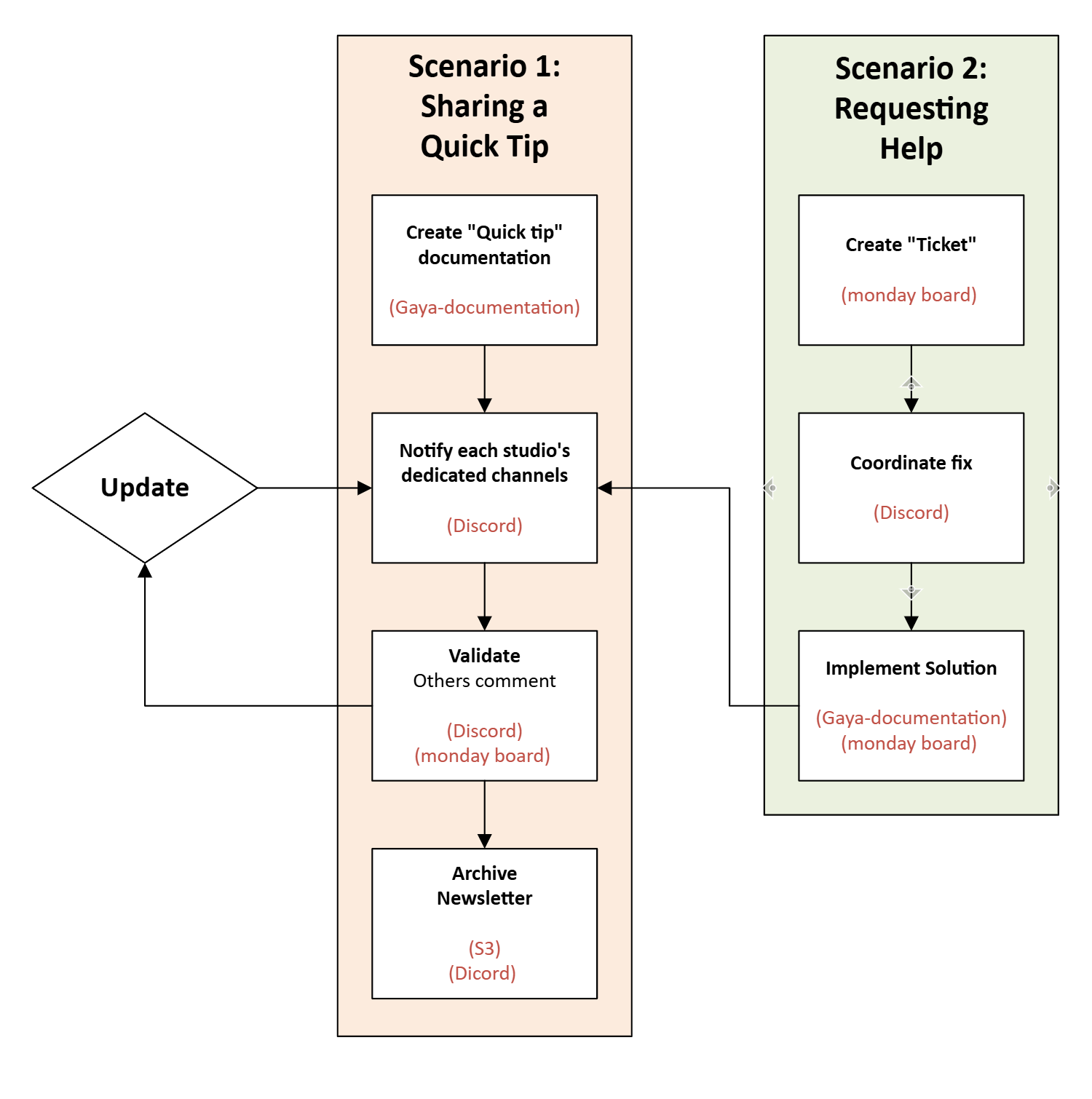
Scenario 1: Sharing a Quick Tip
(Example: Office studio's Blender optimization trick)
- Document (Gaya-Documentation)
- Create MkDocs page in
/3d-art/tips -
Upload demo video to Google Drive
/Tutorial_Videos -
Notify (Discord)
@Remote-3D-Lead Posted new #blender tip! 🎮 "Retopology Shortcut" → [doc Link] Test by Fri & react ✅/❌ -
Validate
- Others comment on MkDocs page
-
Update Monday.com "Tips Pipeline" status
-
Archive
- Move to
MkDocs/3d-art/approved-tips - Add to monthly newsletter
Scenario 2: Requesting Help
(Example: Remote studio's Substance Painter issue)
- Create Ticket
-
Monday.com "Help Requests" board:
[URGENT] Texture seams in Substance Painter- Attach project files from Google Drive
- Tag @Material-Art-Leads
-
Coordinate Fix
- Discord voice channel
#material-help:@Office-Material-Team Join live debug session 🕒 Today 2PM UTC | Screen share ready -
Collaborative fix documented in Google Doc
-
Implement Solution
-
Update Monday.com ticket with:
Fix verified
[document Solution Page] -
Prevent Repeat
- Add to
MkDocs/material-art/common-issues - Create quick-reference cheatsheet
Tool-Specific Setup Guide
Documenatation Structure
docs/
├─ 3d-art/
│  ├─ blender-guides.md
│  └─ approved-tips/
├─ material-art/
│  ├─ substance-painter.md
│  └─ texture-troubleshooting/
├─ technical-art/
│  └─ shared-tools/
└─ level-design/
   └─ prototyping-guides/
Monday.com Board Setup
| Group | Columns | Statuses |
|---|---|---|
| Tips Pipeline | Type, Studio, Impact | Draft → Approved |
| Help Requests | Priority, Due Date | Open → Resolved |
| Mentorships | Skill Area, Frequency | Active → Completed |
Discord Channel Rules
#3d-art-tips: Post only verified documentation links#material-help: Use thread-per-issue- Pin workflow diagrams in each channel
Maintenance
-
Weekly
- Knowledge leads inspect documentation links
- Clean Google Drive, check for duplicates and unnecessary files
-
Monthly
- Review Monday.com stats:
- Avg. resolution time
- Most-used knowledge sections
- Award "Knowledge MVP" in #announcements
- Review Monday.com stats:
-
Quarterly
- Archive old documentation pages
- Update Google Drive folder structure
- Refresh Discord pinned messages